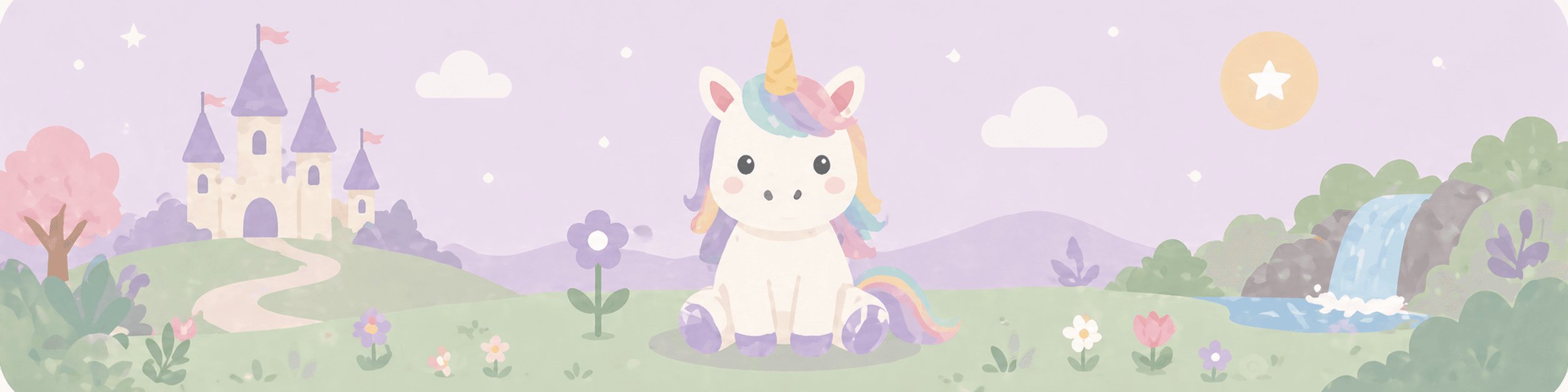
A shared routine board that a child can make their own. A tap becomes a star, the week grows a Mystery Pet, and another adult can pick up where the family left off. I designed and built the web and iPhone experiences myself.
I started with the moment after a routine is done. A child taps, sees a star, and has a reason to come back tomorrow. The pet, the theme and the weekly reward make progress visible without turning a missed day into a failure.
No ads, everNo trackingUp to 6 kidsCo-parents on one board
Teeth, bath, reading, Mandarin practice, out of the door for a walk. Two children, two adults, and no shared view of what was done. The kids stopped looking at every chart within a week.
Research
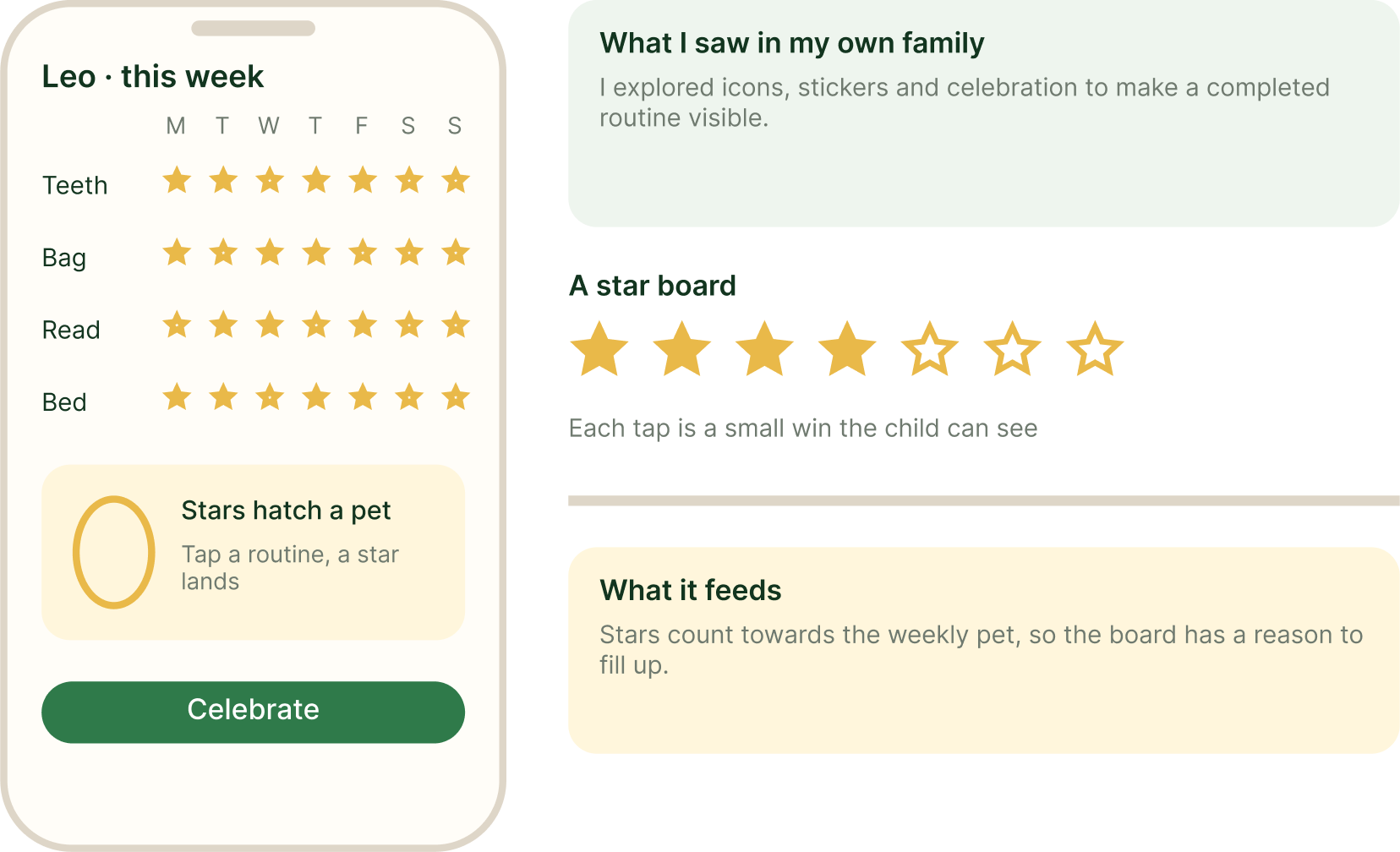
I built it for my own two kids and watched them use it each evening. I explored big icons, stickers and celebration moments to give them a reason to look at the board. Naming research too. Sparkle and Twinkle were taken, so it became Winking Star.
Goal and success measure
A child who asks to tick their own stars, and a parent who opens it the next evening without being reminded. Routines completed per week, weeks retained, and whether a second adult joins the board.
Constraints
Solo, evenings and weekends. Free to start with a one-off lifetime unlock, no ads and no subscription, because it's for children. Kids Category rules on the App Store shaped the parental gate and the privacy manifest.
02 Personas
Threeusers,onestar.Nobodyhasthesamejob.
User personas
Three users, one star: the child who ticks, the parent who sets it up, and the second adult who never opted in. Composite roles from the case, not research participants.
Leo, 6
The child
Can't read much yet
“
Knows his own name, his colour and his football.
Context
Uses the routine board with a parent. Large pictures and immediate feedback help before reading is fluent.
Design answer
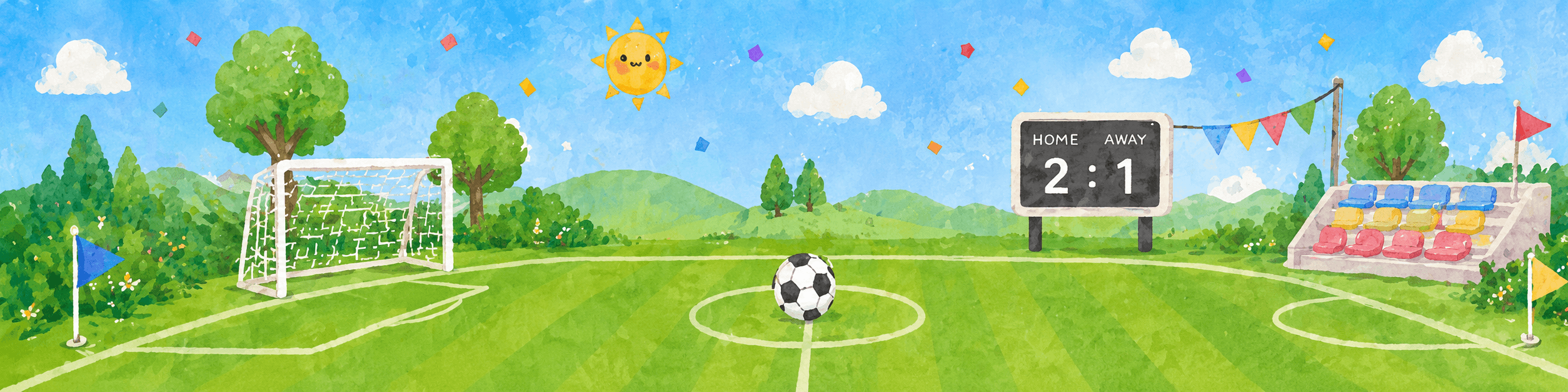
A big illustrated banner per theme
Celebration feedback, with quieter options
A weekly pet so one bad day doesn't end the game
Goals
To tick it himself
See the star land
Find out what the pet turns into
Pain points
A word he can't read is in the way
A tap target is small
A missed day makes the week feel lost
The parent
Sets it up
Decides in two minutes if it stays
“
Downloads it after another bedtime argument.
Context
Sets up the family board and decides whether it helps with the household’s daily routines.
Design answer
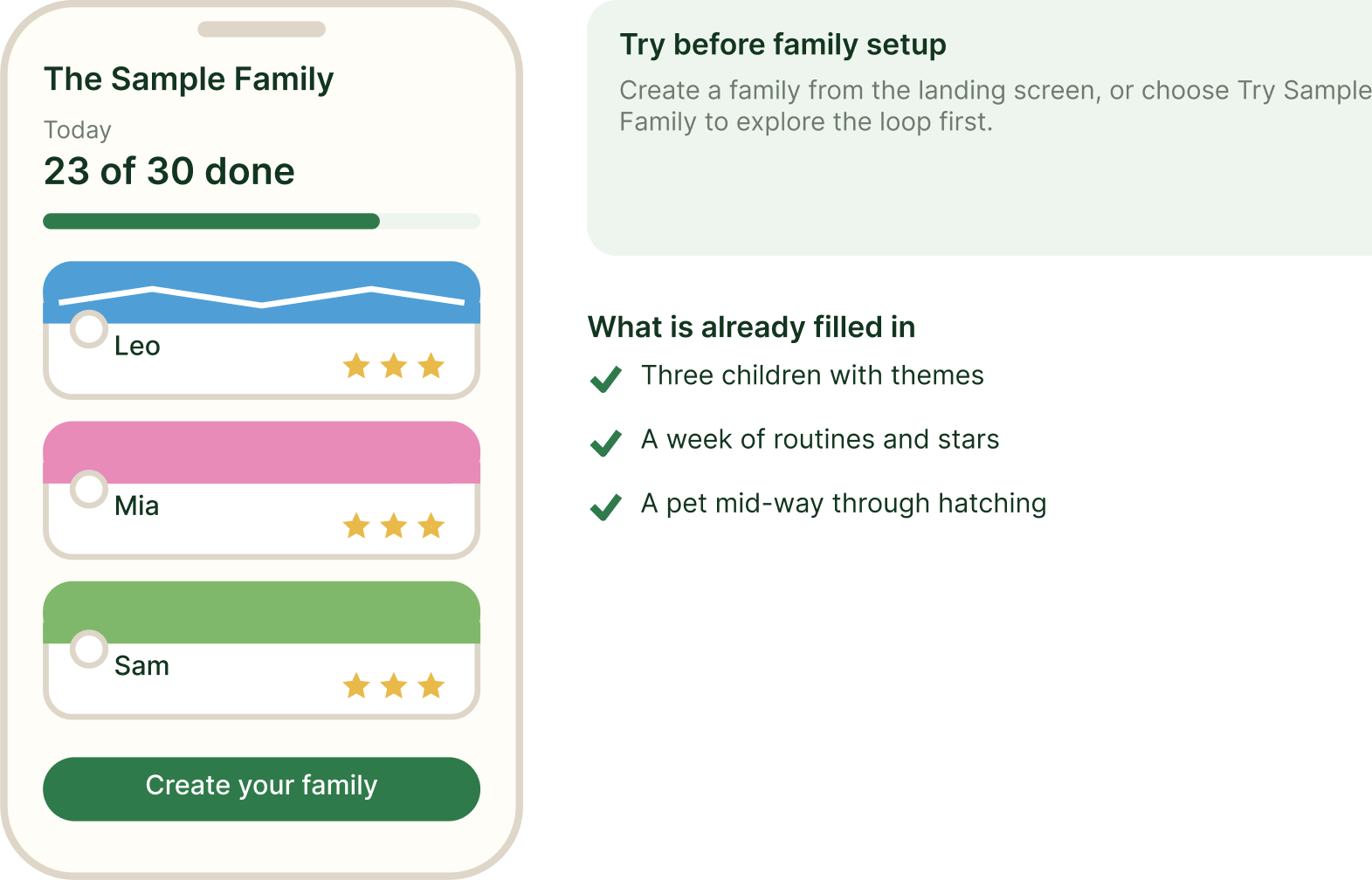
Optional Sample Family to try before personal setup
Kid Mode and a parental gate
Custom activities, so Mandarin sits next to teeth
Goals
Routines done without nagging
One place both adults can see
Nothing that sells to her kids
Pain points
Setup takes more than a minute
An ad appears
The app hands the phone to the child with no guard rails
The second adult
Never opted in
Partner, grandparent, childminder
“
Got an invite on WhatsApp. Has thirty seconds.
Context
Joins an existing family board as a partner, grandparent or childminder.
Design answer
Invite to the same board
Same screen, same stars
From their own phone
Goals
To tick a star
Get back to bedtime
Pain points
Any learning
A board that looks different from the one the kids know
03 The full flow
Onefamilyboard.Twowaystouseit.
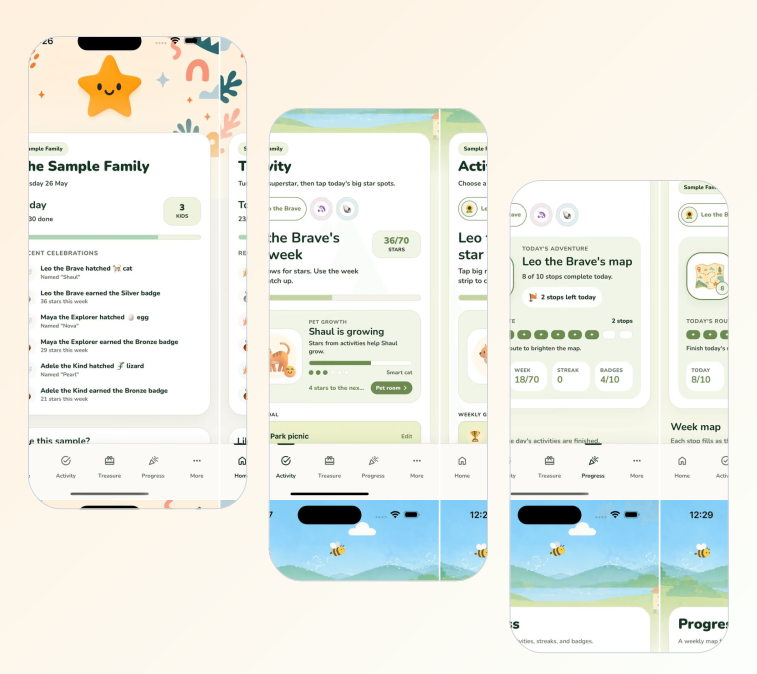
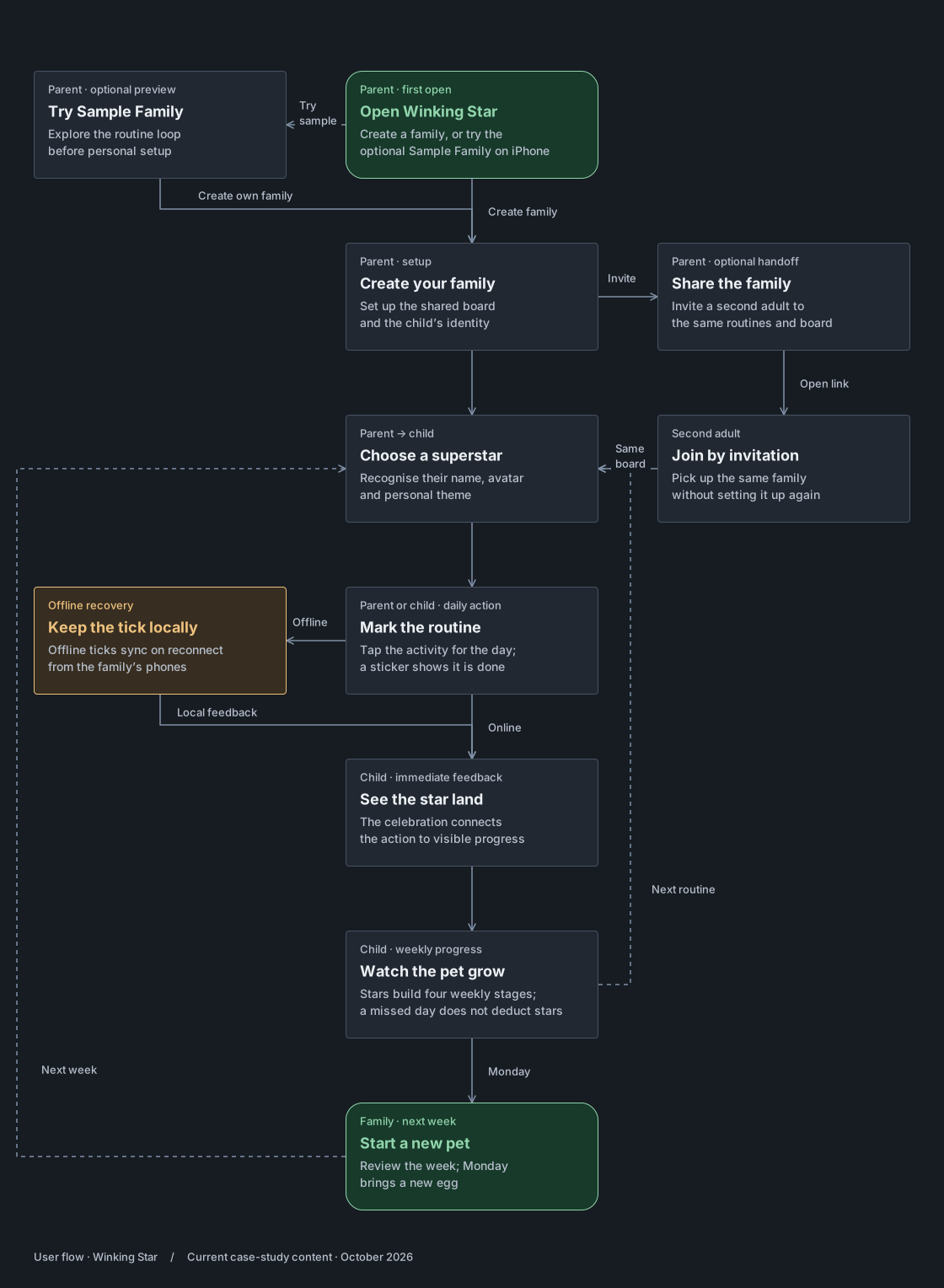
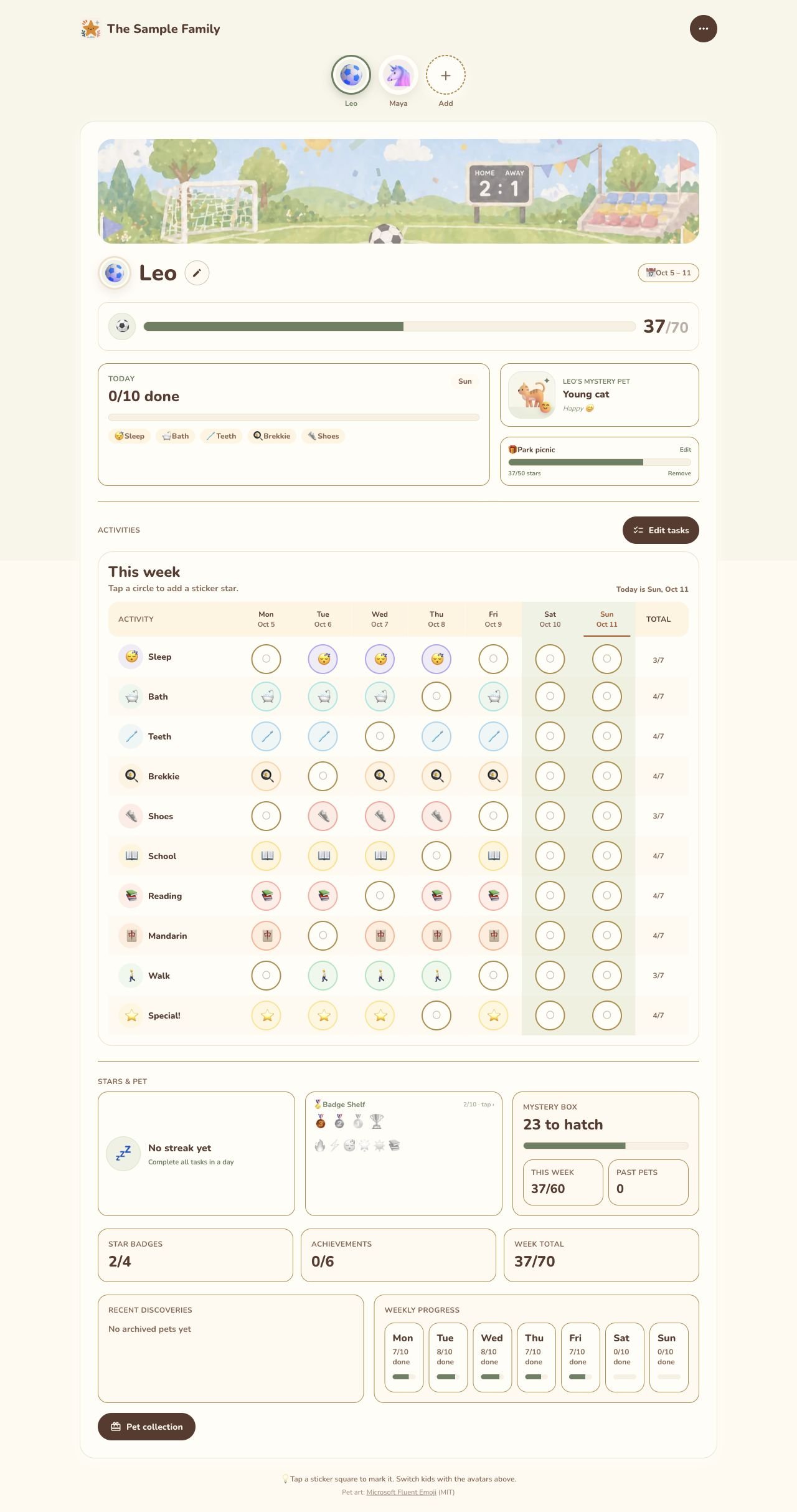
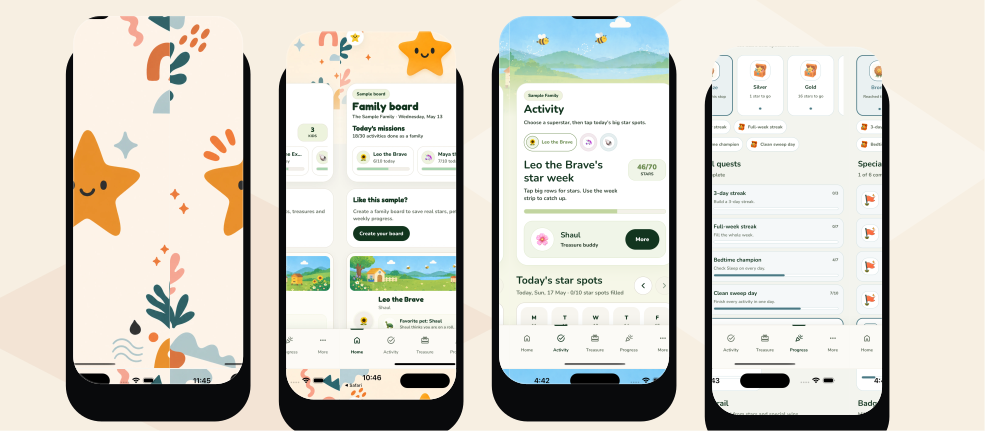
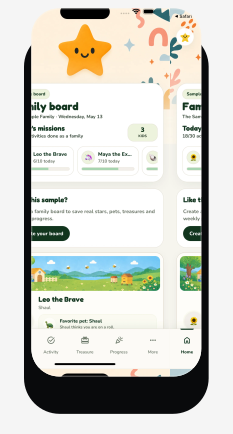
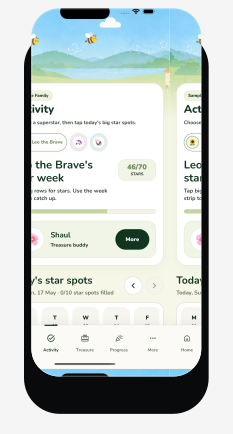
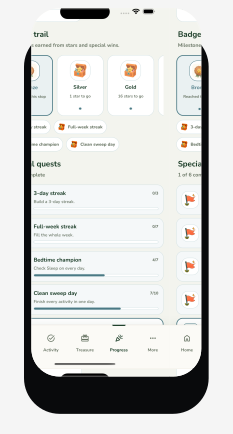
I keep the same job across web and iPhone: find your child, mark the routine, see what changed. The web puts the week on one board. The iPhone app separates Home, Activity, Treasure and Progress into focused tabs.
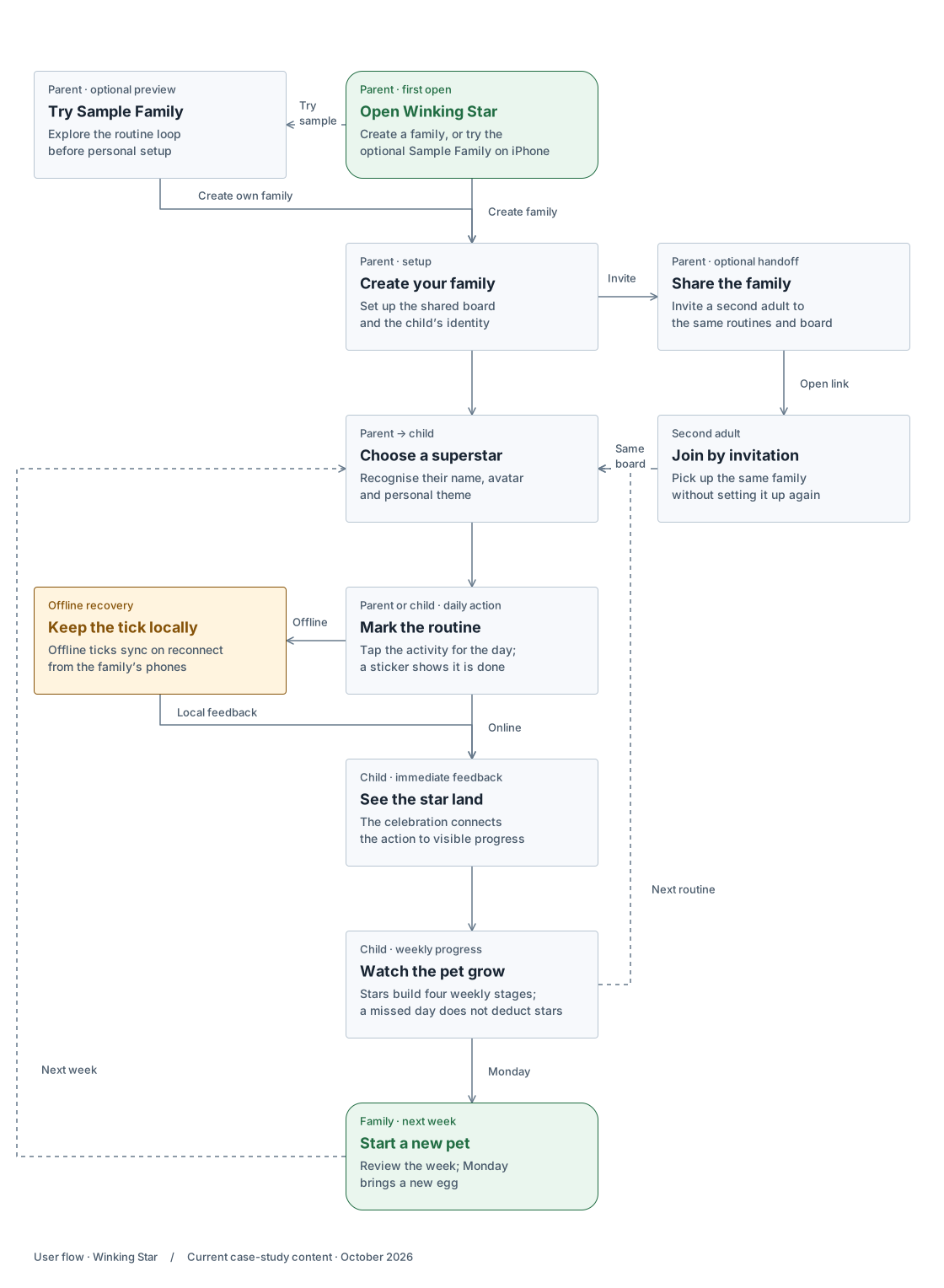
User flow
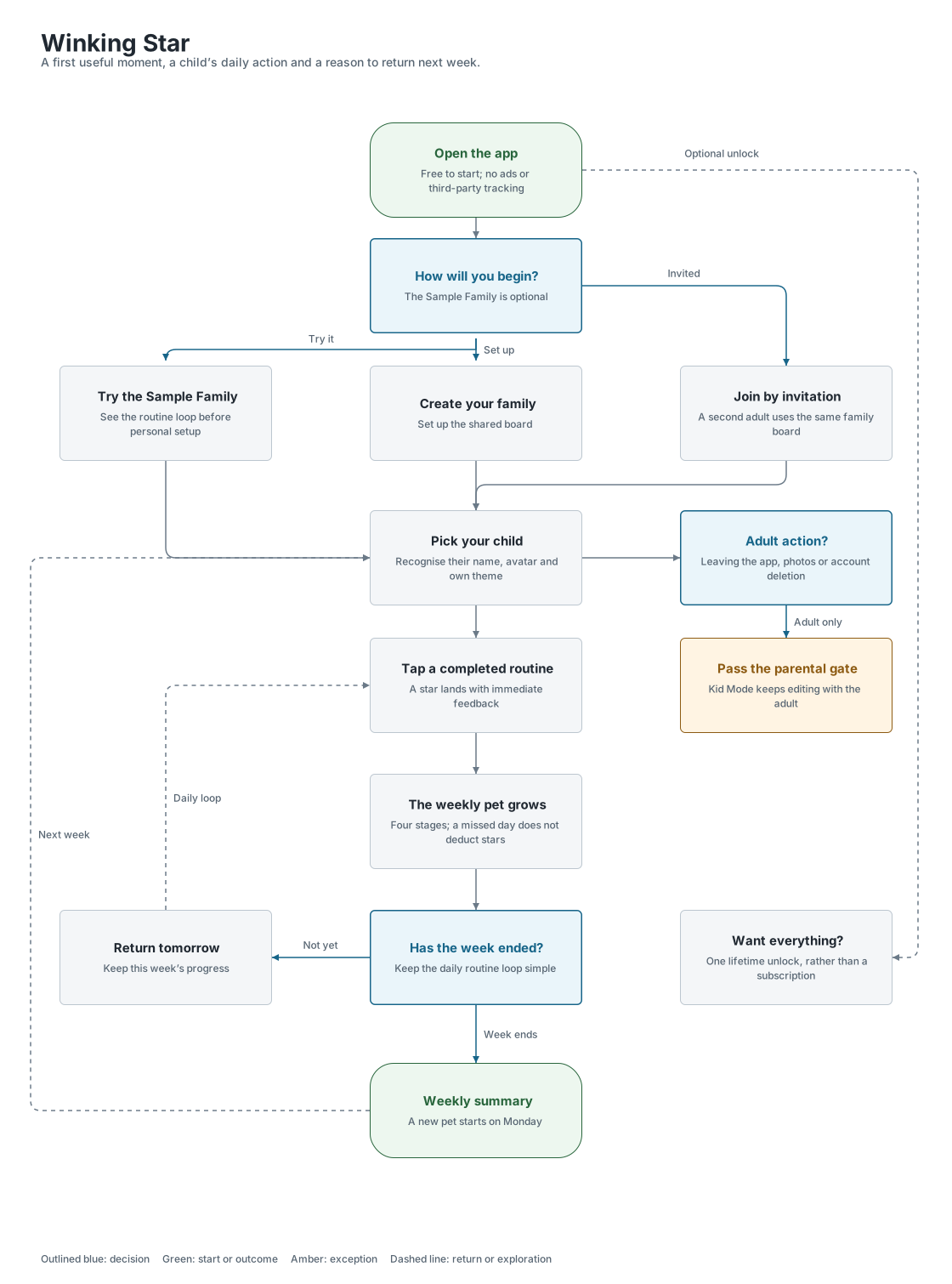
A parent sets up the family, the child sees progress, and another adult can pick up.
Current family workflow · optional iPhone Sample Family; shared routines across web and iPhone.
On smaller screens, enlarge the flow to read and explore the branches.
The same routine, adapted to the screen
Web: the week together
The chart keeps activities, days and totals in one view. Stars, the pet and the reward goal stay on the same board.
iPhone: one task at a time
Four main tabs separate the family overview, daily actions, collection and progress. More holds the supporting controls.
The iPhone flow
Launch: a familiar welcome
The opening illustration introduces the same playful world the family sees inside the app.
Home: the family view
A parent can see today’s progress and each child’s space before opening an activity.
Activity: the next small action
Switch children, find today and tap a large activity target. The week stays close by.
Progress: recognise the effort
Badges and quests make the week legible beyond a single total.
Recognisable on a smaller screen
The web keeps the weekly chart. The iPhone app gives the daily action its own tab. I compare both against the same questions: can a child find their place, can an adult see what is done, and can they continue without learning a second routine?
04 Journey
Onefamilyboard,aroutinethatrepeats.
This iPhone scenario separates the first setup from the daily routine, weekly progress and second-adult handoff. The Sample Family is optional. The web has its own setup flow.
User journey
An iPhone family scenario: set up once, repeat each day, and share the same board.
Persona
The parent
Sets it up
Decides in two minutes if it stays
Scenario
A parent can explore the optional Sample Family or create a family directly. This scenario follows their own board into the daily routine and weekly progress. A second adult can join once the board exists.
Goal
Help a child recognise and complete routines, make progress visible, and let another adult pick up on the same board.
Parent · getting started on iPhone
Make the board your family’s
Explore the Sample Family
Optional preview before personal setup.
or
Create a family directly
Start your own board without trying the sample.
↓ Create your family board and add your child and routines.
Parent and child · repeat each day
Do the routine, then mark it together
01Choose the child
Open their familiar routine board.
02Complete a routine
Brush teeth, read or finish another family activity.
03Mark it done
The completed routine adds stars to the week.
↶ Return for the next routine. A missed day does not deduct earned stars.
Across the week
Small actions build visible progress
Completed routines
Stars accumulate
The weekly pet grows at star thresholds
A new egg arrives on Monday to start the next week.
Opportunities
I want to check the pet helper text at small sizes and review the translated pet names with native speakers. The source now includes translations, but that does not establish that every label reads well.
05 Loops and decisions
Twoloopsandsixdecisions.
These are the decisions behind the iPhone app. The web carries the same routines, themes and family data into a weekly board. I keep the daily action short and let the week give it meaning.
Daily · a short routine
Open→Pick your child→Tap a star spot→Star lands→Celebration→Pet grows a little
Weekly · the reason to come back
Seven days of stars→Star-based pet growth→Treasures and badges→Fridge summary→Monday, a new pet
Try it · Leo, Tuesday0 of 6 stars
🥚
EggHatchingGrowingGrown
This is a simplified four-stage illustration. The current app grows the pet at star thresholds across the week. Tick all six routines here to preview the idea.
Decision map
These decisions began in the iPhone app, with my own family. They separate the first useful moment, a child’s daily action, adult control and the reason to return next week.
On smaller screens, enlarge the map to read and explore the branches.
Make the first action understandable
The optional Sample Family lets a parent inspect the loop before setup. A child’s theme helps them recognise where their own routines live.
Connect today to next week
The star is immediate feedback; the growing pet carries progress across the week. Adult controls and the payment model sit around that loop.
Used in the family app
01Daily motivation
What makes a completed routine worth looking at?
The checklists we tried in our own house stopped holding the children’s attention. I wanted the completion itself to feel visible.
I chose
Stars and a pet
Give the tap a visible star and connect it to the pet’s progress.
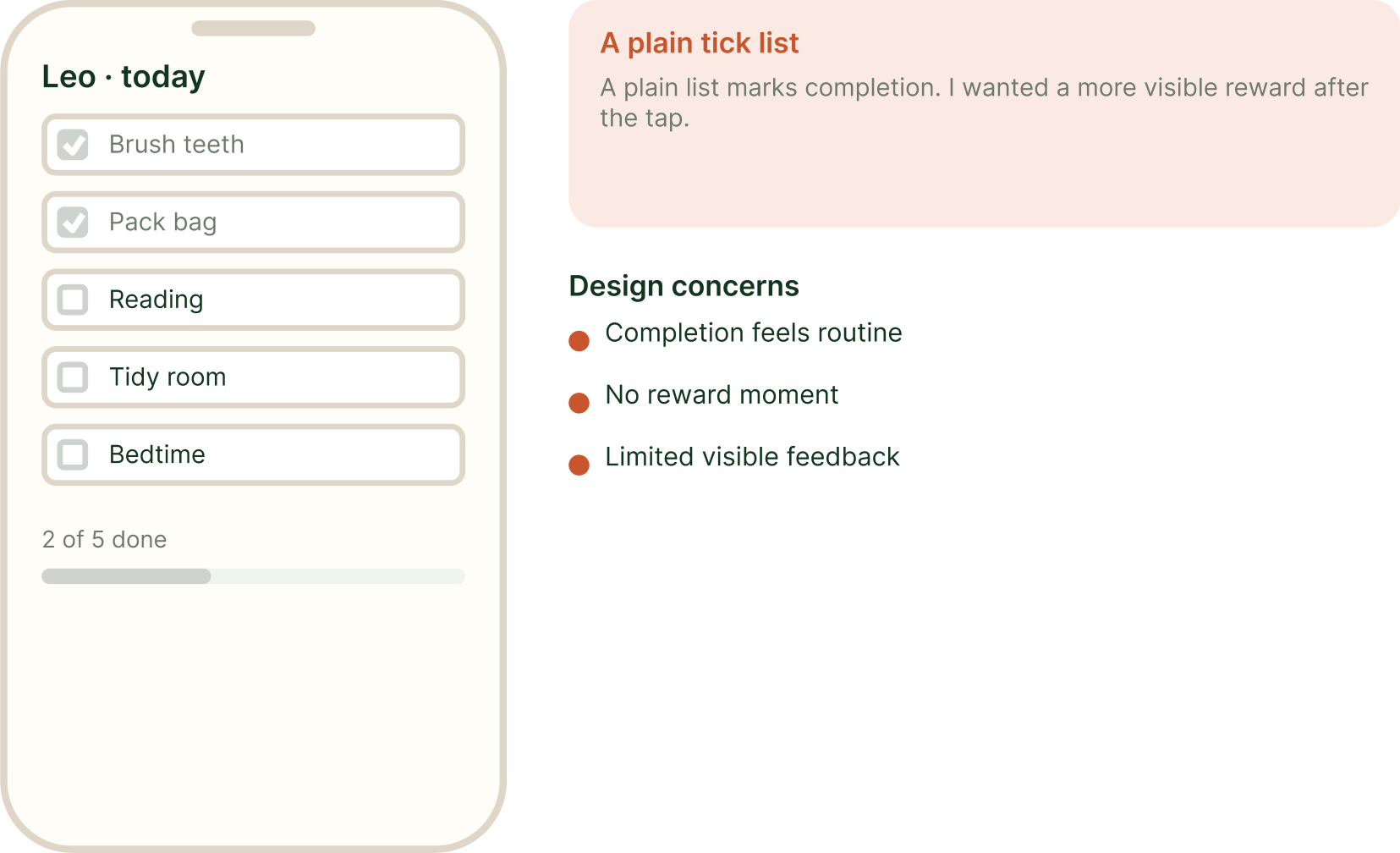
Alternative
A plain tick list
Mark the routine with a checkbox and a completed-task count.
Why I chose it
The checklist lost attention in our own house within a week. I explored larger icons, stickers and celebration so the child could see a result from the tap.
What it cost
More illustration, motion and state design to build and maintain than a plain list.
What informed the decision
This is based on watching my own two children use the app and the charts we had tried before it. It is a household observation, not a controlled comparison or a general finding about all children.
iPhone first-use design
02First open
Should a parent see the loop before entering family details?
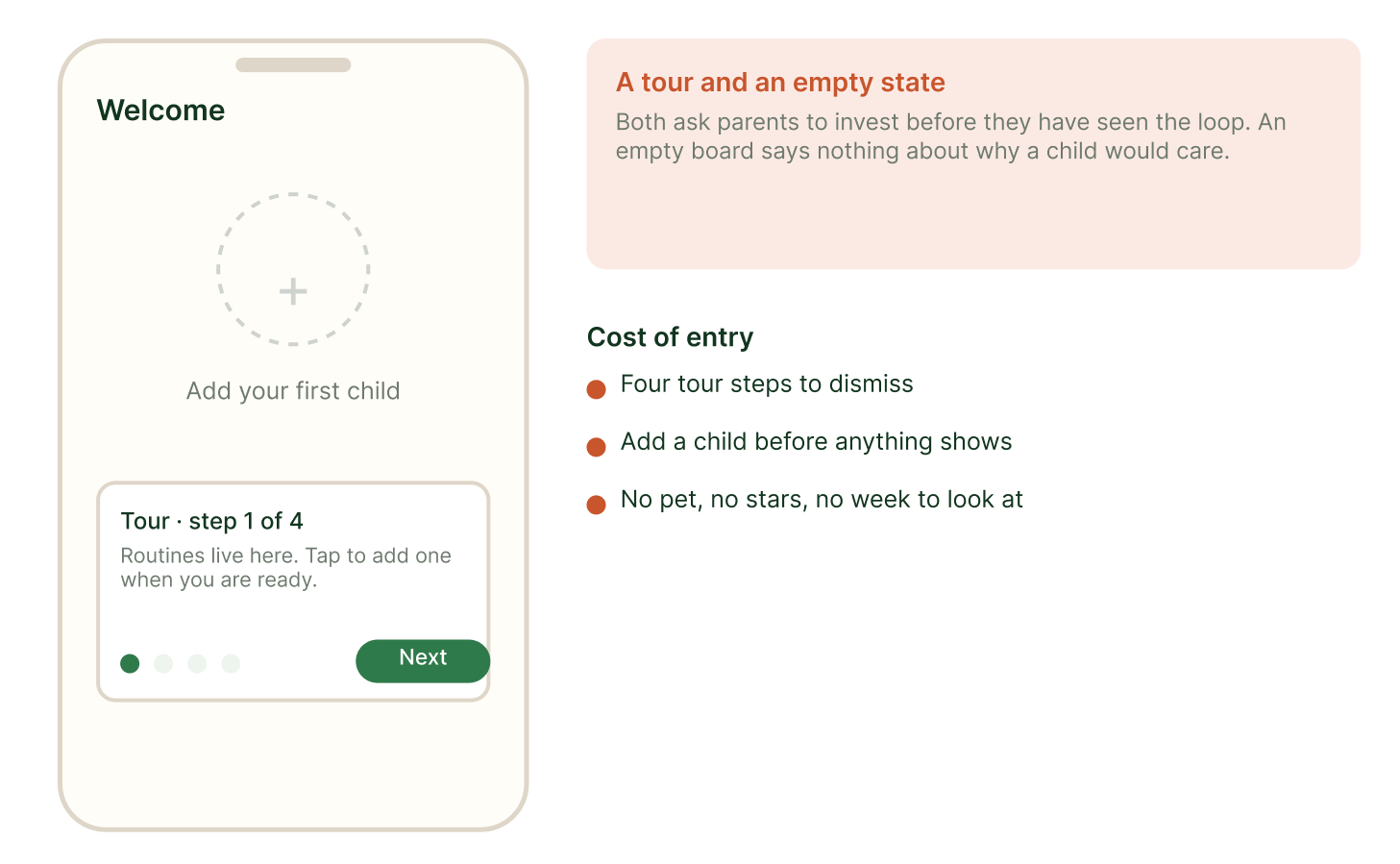
A blank board asks for setup before showing why a child might care. First use needs a useful example as well as a path to the family’s own board.
I chose
Optional Sample Family before personal setup
Offer an optional Sample Family from the iPhone landing page before personal setup.
Alternative
A tour and an empty state
Require setup or a tour before a parent can see a useful example.
Why I chose it
I offer the Sample Family as a way to inspect the loop before creating a family. The landing page also lets a parent start setup directly, so trying the sample is a choice.
What it cost
The example and the family’s own board are separate. The transition needs to make clear which actions will save real progress.
What informed the decision
The iPhone landing screen has separate Create Family and Try the Sample Family links. The demo route loads a predefined sample board. It is not automatically seeded into every new family.
Product and business-model choice
03Access and trust
How should the app ask a parent to pay?
I wanted a free starting point without ads or a recurring subscription to manage for a child’s routine app.
I chose
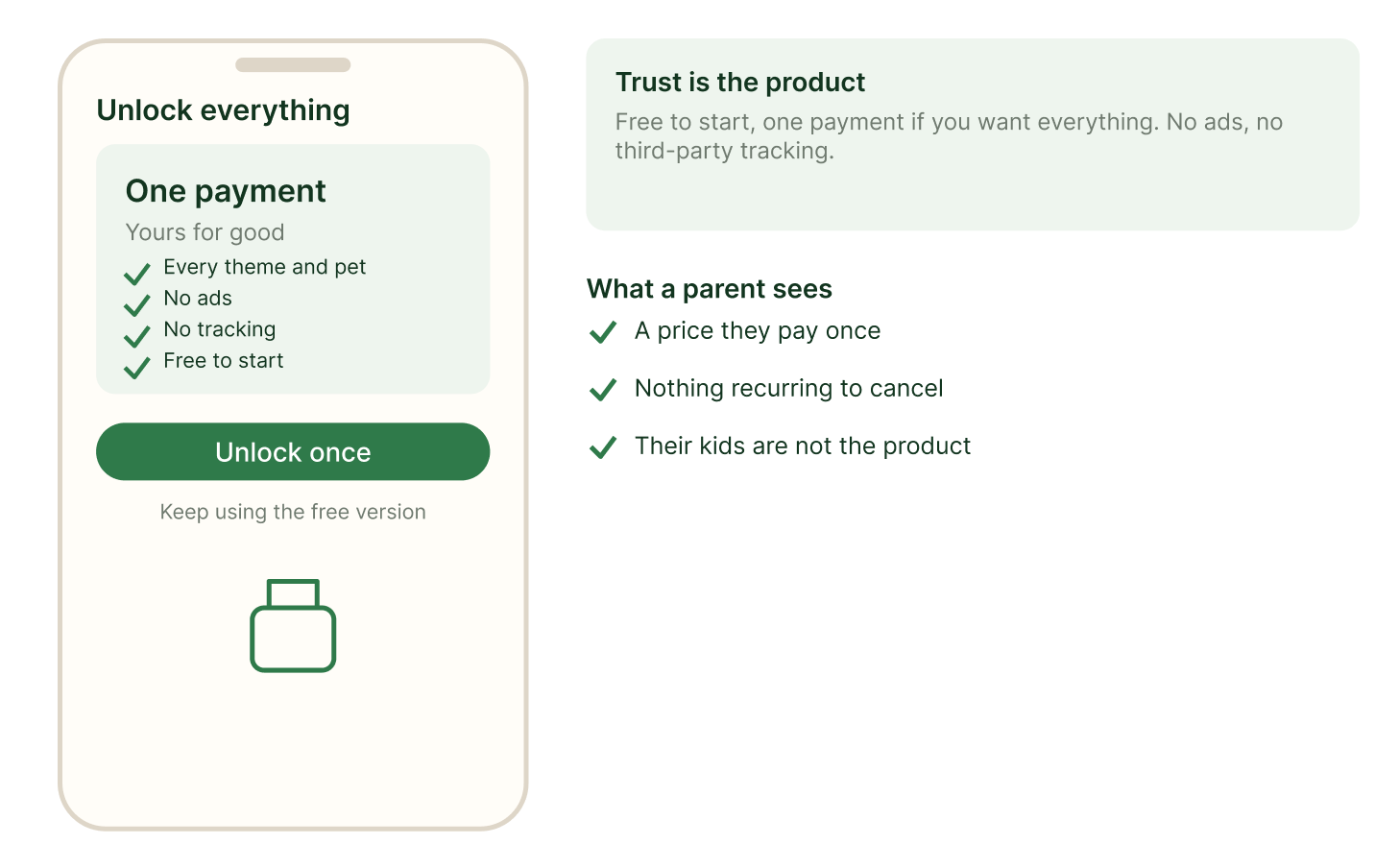
Lifetime unlock
Offer a free version and a one-off lifetime unlock.
Alternative
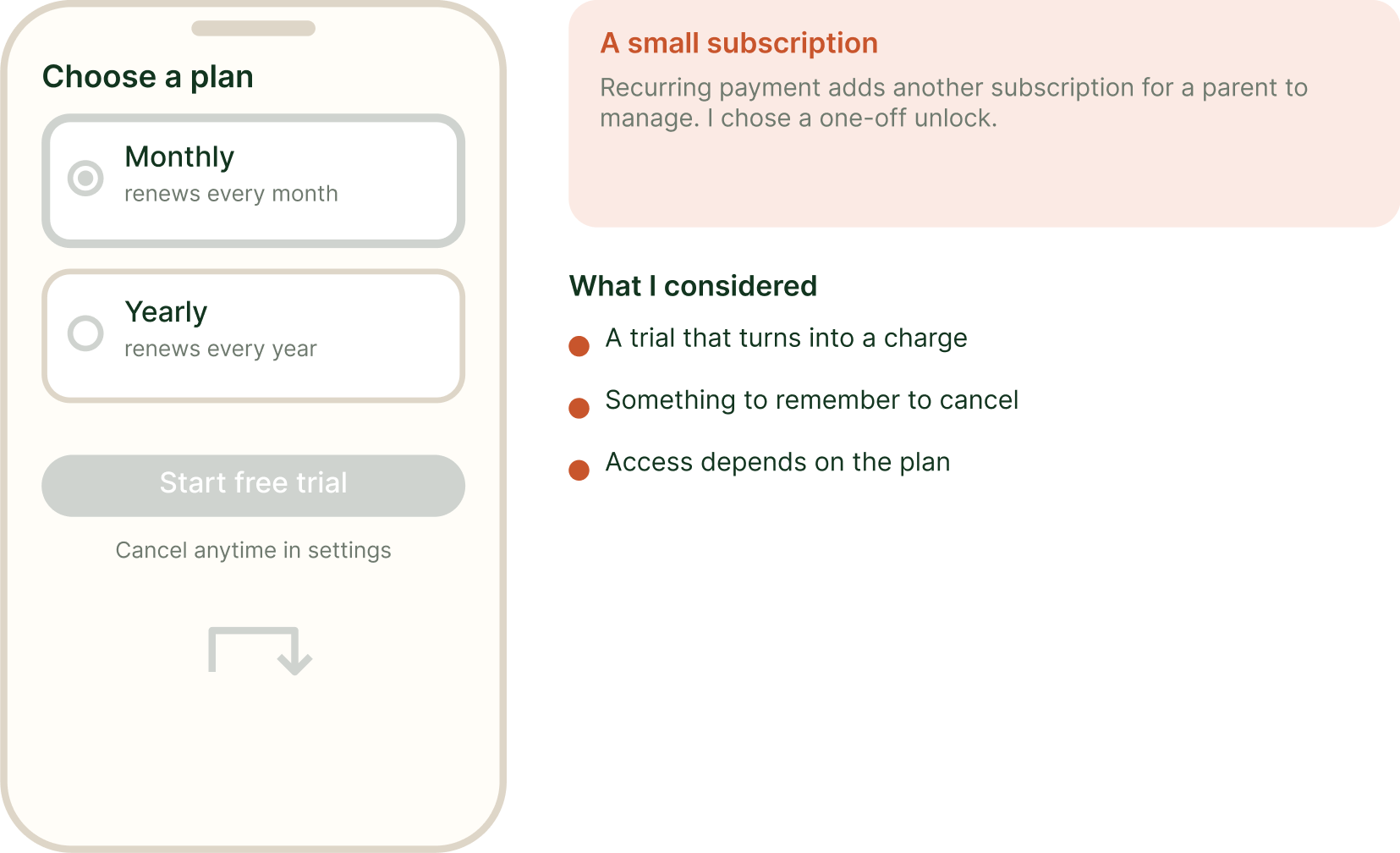
A small subscription
Offer a monthly or annual subscription.
Why I chose it
It's for children, and trust is the product. Free to start, one payment if you want everything, no ads, no third-party tracking.
What it cost
No recurring revenue.
What informed the decision
The iPhone source defines one non-consumable lifetime-unlock product and exposes free and premium choices. This confirms the payment model, not a pricing experiment or a measured change in trust.
Implemented personalisation
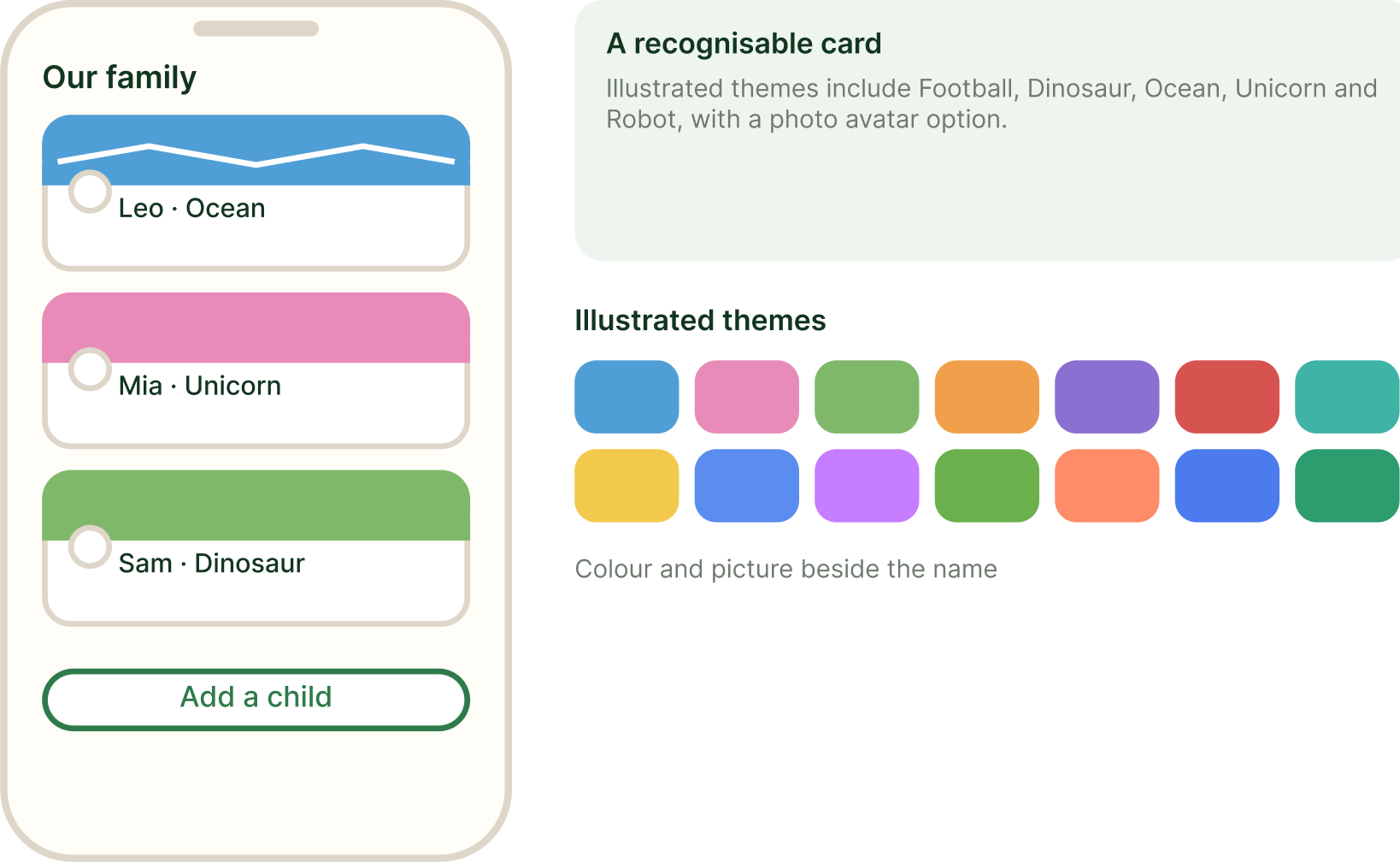
04A theme per child
How does a child recognise their own place on a shared board?
Several children can use one family board. Their own picture and theme offer another cue beside a written name.
I chose
A theme per child, drawn not templated
Give each child a recognisable illustrated theme and avatar.
Alternative
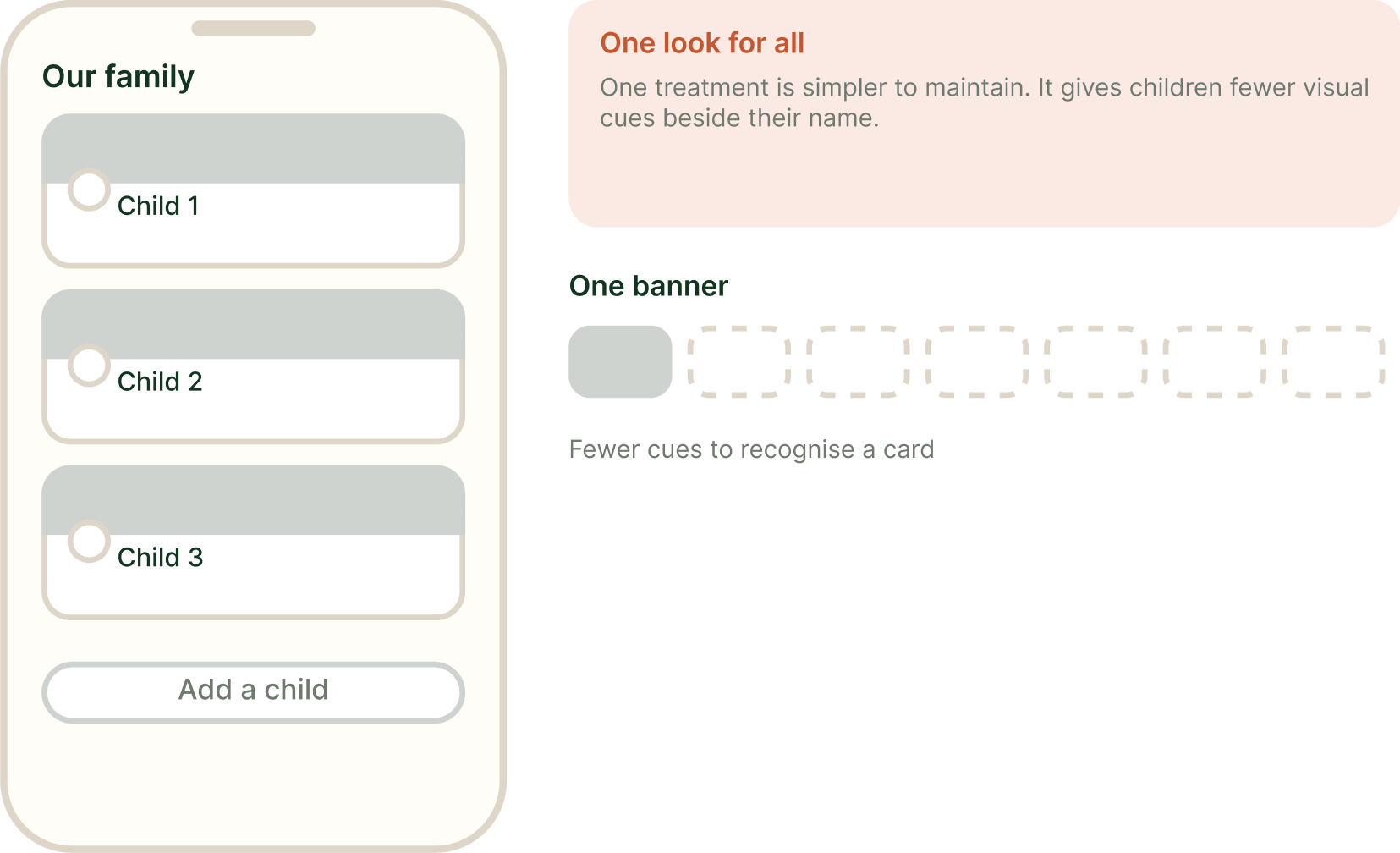
One look for all
Use one visual treatment for every child’s card.
Why I chose it
I chose individual themes and avatars so the child has a picture to recognise alongside their name. The original theme artwork keeps that identity consistent across the product.
What it cost
Each theme needs artwork and checks across the screens where it appears.
What informed the decision
The current source artwork and product screens show the available themes. The case does not record a timed recognition test or establish that children cannot use a shared visual style.
iPhone interaction boundary
05A parental gate
Which actions should stay with the adult after the phone is handed over?
A child needs to complete routines without also changing the family setup or following an external action. The adult still needs a quick route back to editing.
I chose
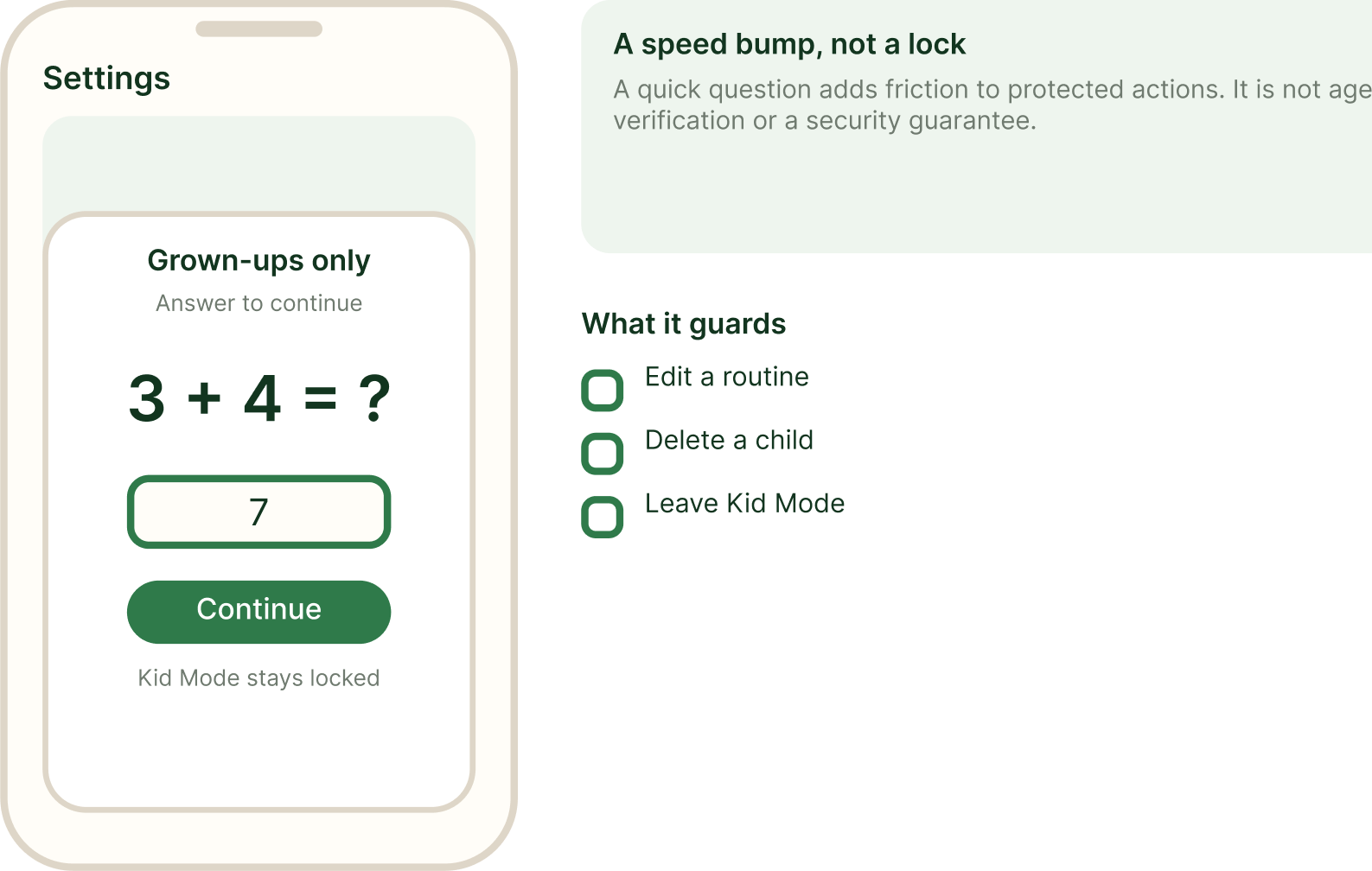
A quick maths question gates the exits
Use the iPhone parental gate for protected actions and Kid Mode for the child’s routine flow.
Alternative
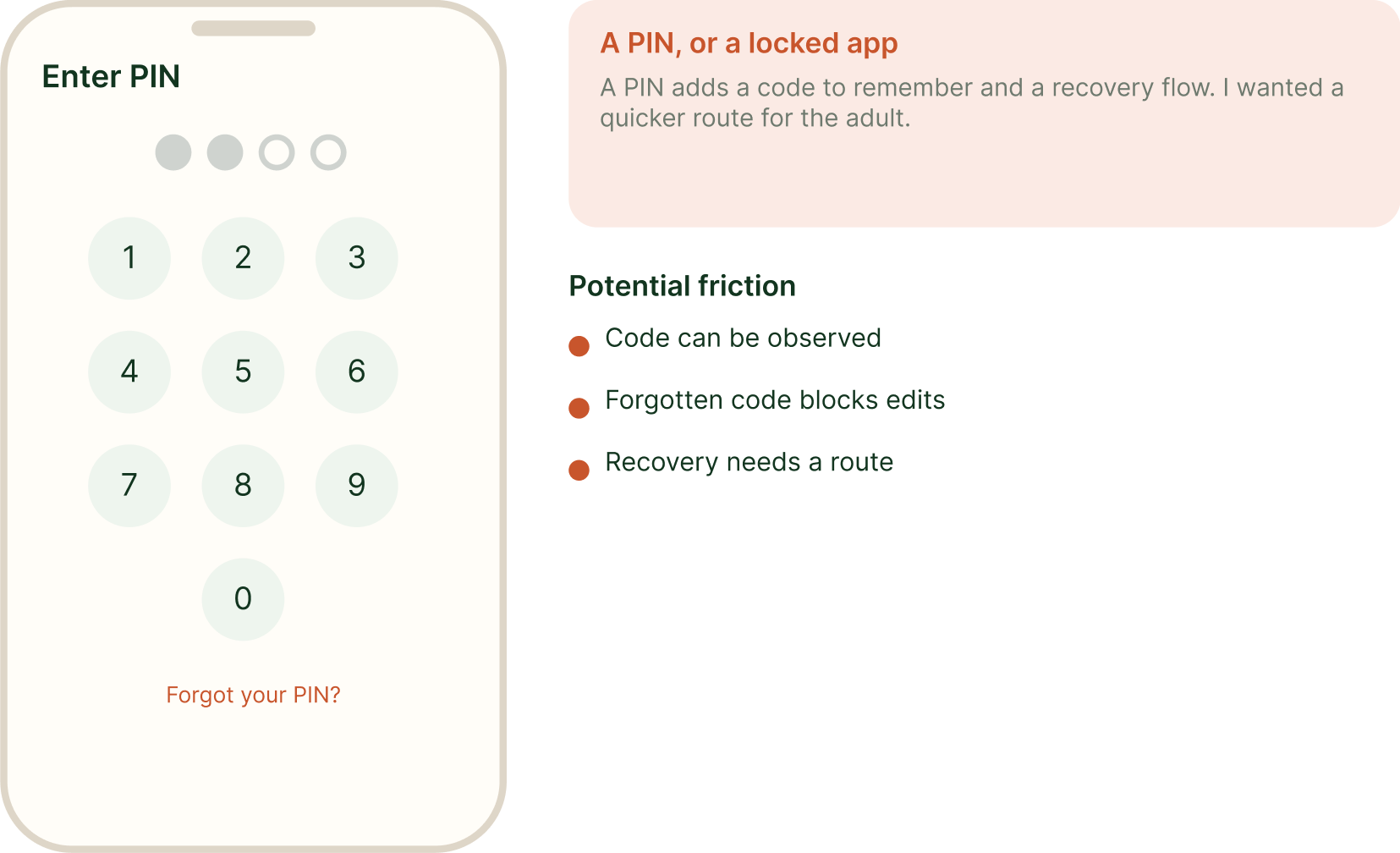
A PIN, or a locked app
Use a remembered PIN or lock the whole app behind adult access.
Why I chose it
Explored a PIN. Parents forget PINs and kids watch them type. A quick maths question gates anything that leaves the app, uploads a photo or deletes an account, and Kid Mode locks editing so the phone can be handed over mid-routine.
What it cost
A maths question is a speed bump for parents too.
What informed the decision
The iPhone source creates a two-number addition challenge. Its gate policy requires a fresh challenge for destructive actions while in Kid Mode and can reuse a recent unlock for lighter actions. This is a parental interaction gate, not age verification.
Weekly product loop
06Weekly pet
What should a missed routine do to the week?
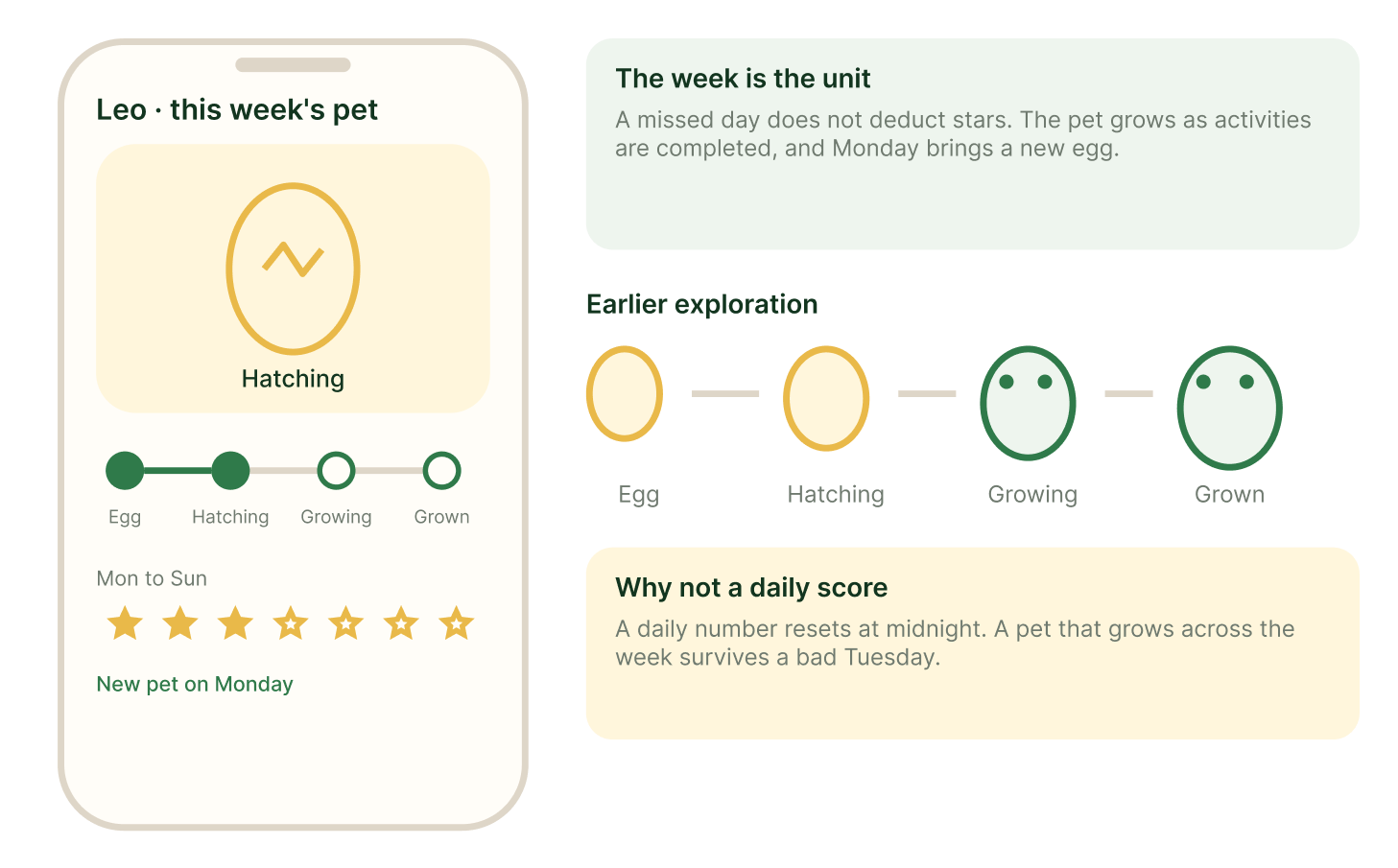
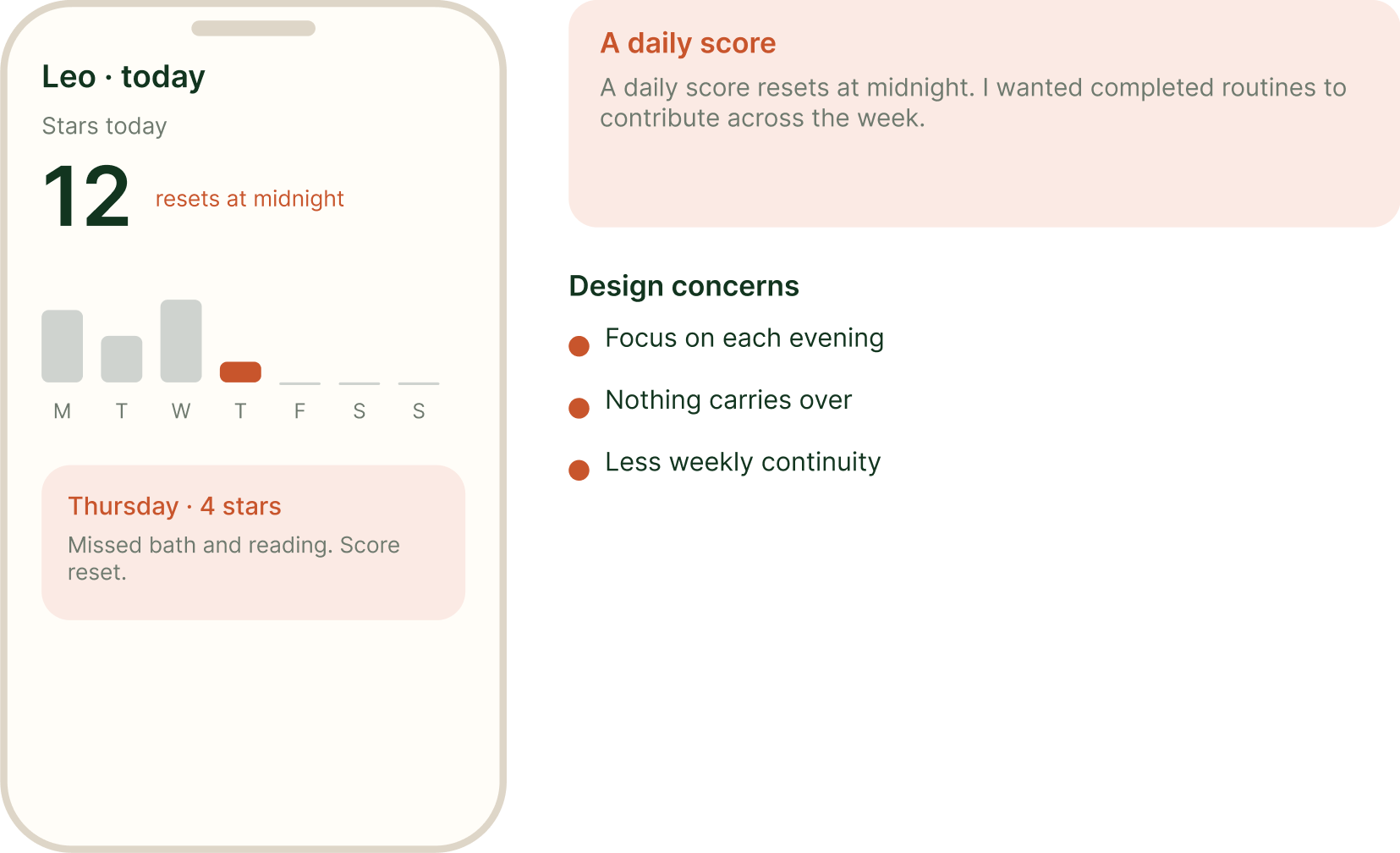
A daily reset can make each evening feel isolated. I wanted progress to accumulate so a quiet day did not erase the effort already made.
I chose
A weekly pet with four stages
Let stars contribute to a pet across the week, with a new pet on Monday.
Alternative
A daily score
Make a daily score and reset it at midnight.
The original sketch explores four broad stages. The current app uses star thresholds for six growth steps after the egg; the portfolio demo above simplifies that progression.
Why I chose it
I wanted the pet to carry progress across the week. A missed day does not deduct stars; correcting a tick can change the total. The next week starts a new pet.
What it cost
No daily pressure means less urgency on a quiet day.
What informed the decision
In the current iPhone source, weekly stars feed a stage function from egg to stage six. Treasures use cumulative completed routines. These are progression rules, not a measured retention result.
My brand, my system, my product
Brand and design system
I designed the brand, copy, illustration direction and app as one family product, then built it and took it through App Store submission.
Original app icon
A picture-book world children can recognise.
The star, rounded type and warm illustrated world belong together. I use colour and pictures as cues beside the child’s name, so the card does not rely on reading alone. The same language continues through routines, rewards and the weekly pet.
Typography: Nunito for both display and body. Shared family tokens keep the rounded character consistent across surfaces.
Canvas
Page surface #F7F5EF
Forest
Text and actions #12351F
Sage
Soft emphasis #A9D5B2
Peach
Warm accent #FFE0D2
Current native-app palette. Earlier earthy brand explorations on my old site use a different palette.
IdentityStar mark, warm illustration and Nunito typography.
Shared foundationsColour, typography, radii, motion and component sizing.
Reusable patternsChild cards, routine rows, stars, rewards and the weekly pet.
Family experienceOne visual language across onboarding, the board and weekly progress.
Designed and built by me
Predictable spacing
The native app uses a 2, 4, 8, 12, 16, 20, 24 and 32px spacing scale, so rows, cards and sheets share a rhythm.
Comfortable controls
The shared primary-button token has a 50px minimum height and 25px corner radius. Labels and pictures support colour, so meaning does not depend on colour alone.
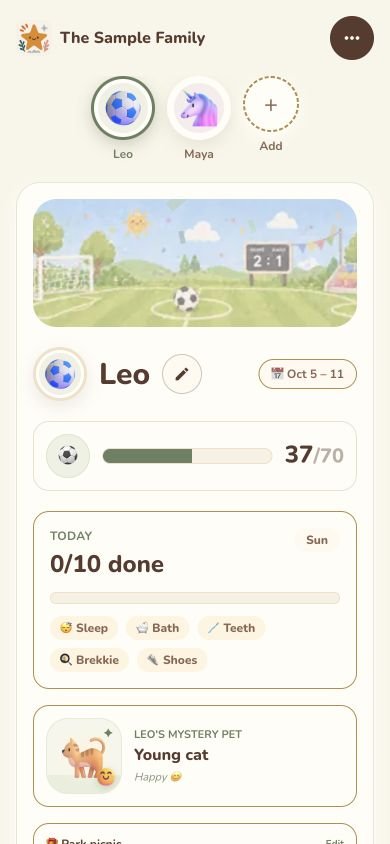
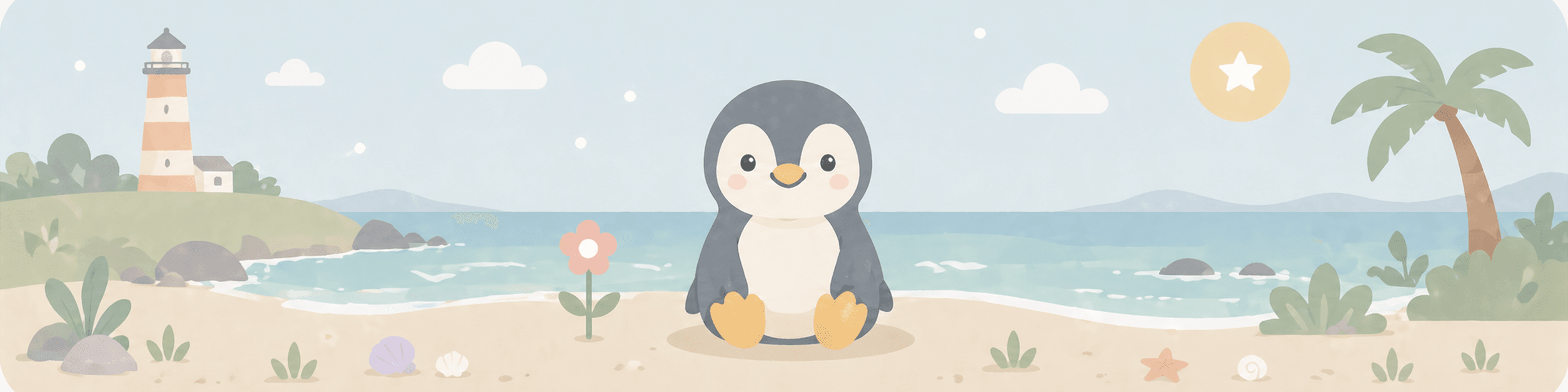
The original theme artwork is shared across web and iPhone. A familiar scene helps a child recognise their own space before they read a label.
06 Edge cases and states
TheiPhonestatesbeyondthehappypath.
Small moments beyond the happy path
First run
iPhone offers Try the Sample Family beside family creation. Web starts with a theme and a grown-up check, then child details. The two entry points are shown separately.
A missed day
Fewer stars, never negative stars or red warnings. The pet keeps the growth earned from routines already completed.
Local midnight
The day rolls over at local midnight, even while the app is open, so a late tick lands on the right day. Shipped as a fix in iOS 1.0.4.
Offline, then reconnected
An offline banner explains the state. Ticks queue and sync on reconnect. Two adults can tick the same child from two phones.
Two homes and birthday week
A custody label, “at Mum's this week”, gives the board context in either house. A birthday banner lasts for the whole birthday week.
Accessible and calm
VoiceOver reads tab labels and selected state. Dynamic Type supports text up to 1.6×. Reduce Motion or Calm Mode keeps confetti off.
Illustrated iPhone states, with the different web entry point called out. These are explanations of behaviour, not additional product screenshots.
Two adults, one shared board
Caregiver steps
01Second adult joinsInvites grandma to the board.
02Open the same boardOne shared board. Same screen on every phone.
03Pick the childEach child's card carries their name, photo, colour and theme.
04Tick a routineShe opens it and ticks a bath.OfflineAn offline banner, ticks queued, synced on reconnect.
07 Outcome
Aliveproduct,shapedbythefamilyusingit.
1.0.4iOS release, alongside the live web board
5languages. English, French, Spanish, German and Traditional Chinese
4releases since launch, all on the App Store
What shipped after launch
Four releases so far. Privacy and safety work for the Kids Category, smoother weekly stars and treasures, the midnight rollover fix, VoiceOver improvements, faster startup, and rating from Settings.
What I'd change next
I would test the handoff between the web setup and the first useful board, then watch a second adult join without help. I also want the small-screen chart and pet helper text to remain readable across all five languages. These are the next checks, not measured results.